 Cohesera
Everything your business runs on, in one place.
Docs, sheets, files, mail, projects, invoices and hiring — 24 apps in one secure workspace your team signs into once.
- Private storage per organisation
- Full audit log
- Two-factor sign-in
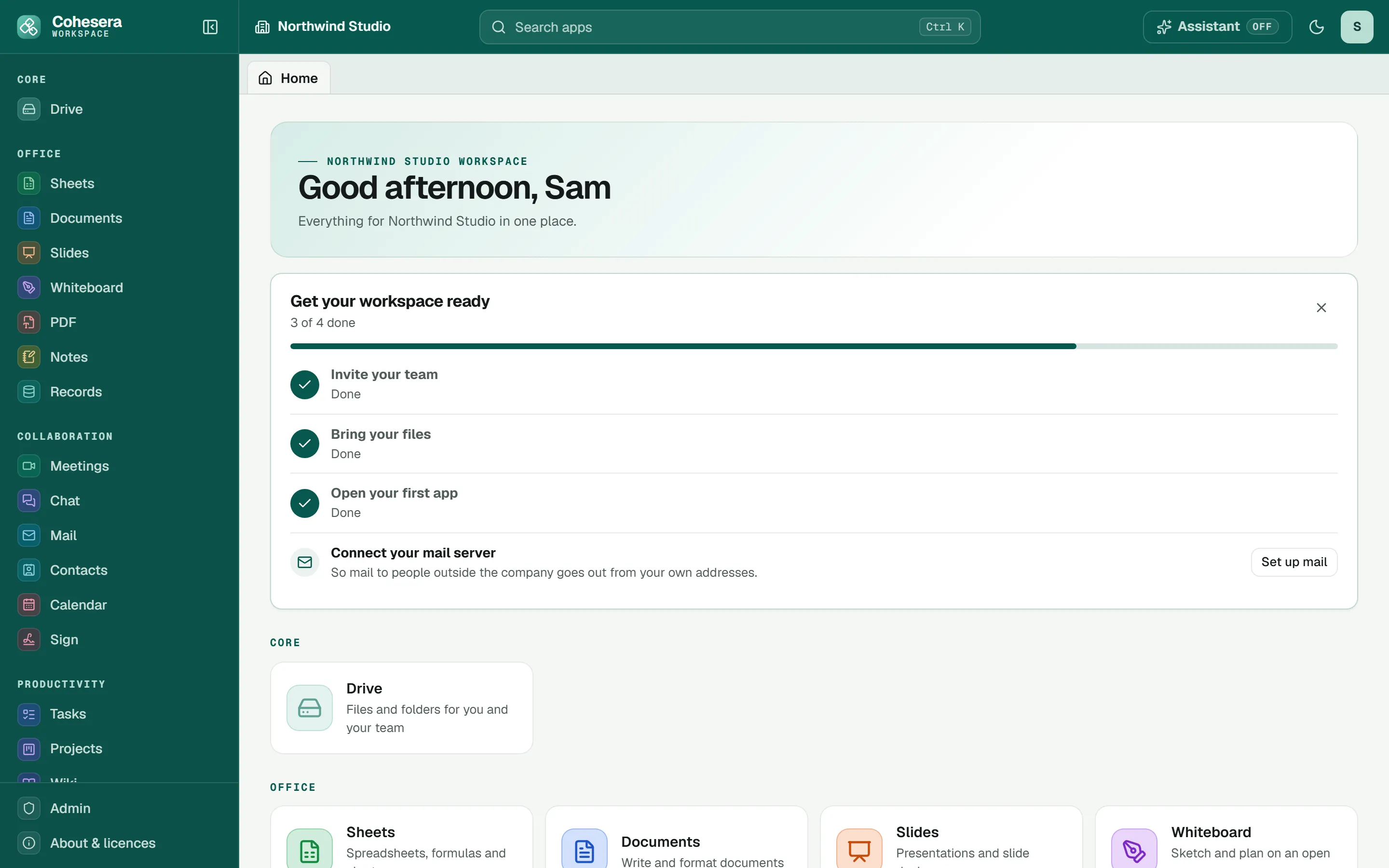
Stop paying for a dozen tools that don't talk to each other.
Every subscription keeps its own copy of your files and its own list of who has access. Cohesera puts them in one place, with one sign-in and one set of permissions.
See all 24 apps- Google Drive or Dropbox Drive
- Microsoft 365 or Google Docs Documents
- Slack or Teams Chat
- Trello or Asana Projects
- Notion or Confluence Wiki
- DocuSign Sign
- QuickBooks or Xero Accounting
- Greenhouse or Lever Hiring
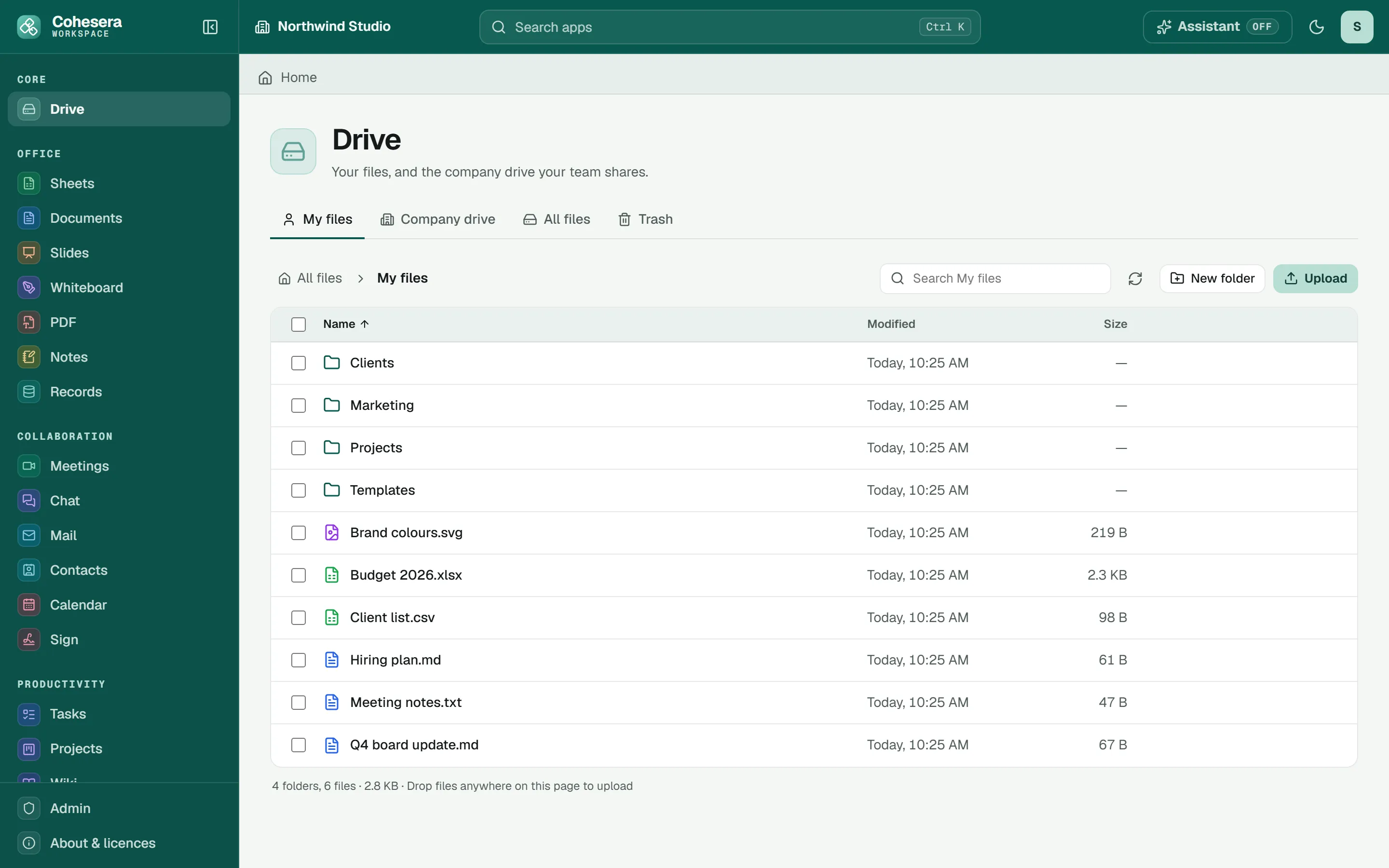
Every file in one place, with the right people on it.
Your own files and the company drive, with permissions per folder.
- Open any file in the right app with one click.
- Deleted by mistake? Restore it from the Trash for 30 days.
- Earlier versions are kept, so an overwrite is never final.
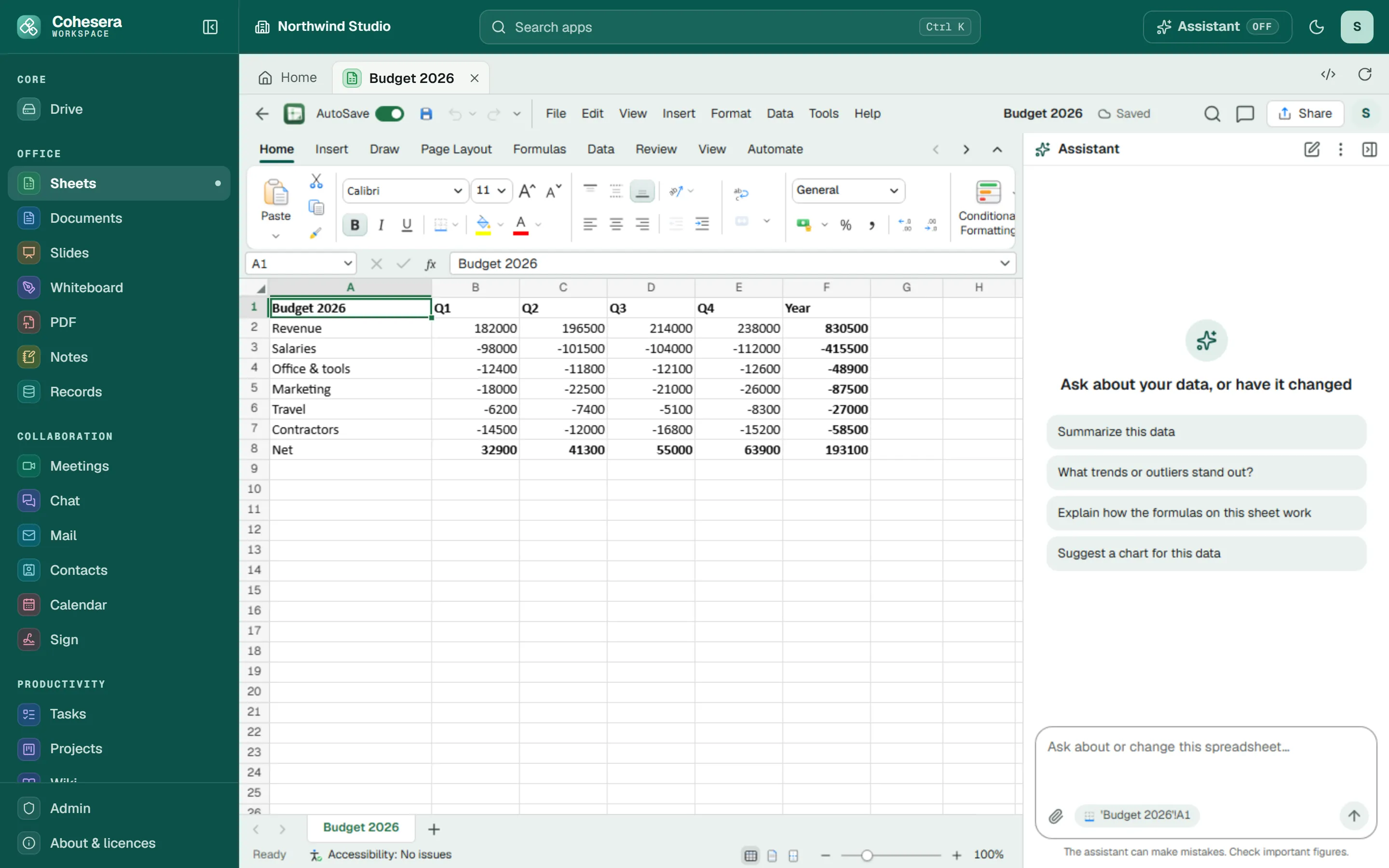
Write, calculate and present without switching tools.
Documents, sheets and slides open in tabs beside each other, saved to Drive.
- Works with the Word, Excel and PowerPoint files you already have.
- PDFs, notes, whiteboards and databases in the same place.
- An AI Assistant that drafts and summarises — only if you turn it on.
Built for the person who answers “who has access?”
The controls a growing business needs, without an IT department.
Roles that make sense
Owners, administrators, members and guests. Choose which roles use each app.
AI on your terms
Off until an administrator turns it on. Everyone has their own switch.
Every action recorded
Sign-ins, file and permission changes, in an audit log you can filter and export.
Permissions per folder
Give finance their folder on the company drive and keep it from everyone else.
Two-factor for everyone
Owners can require an authenticator app at sign-in, for the whole organisation.
Your data stays yours
A private storage space for every organisation. Owners can export everything — files, mail, the apps' data and the audit log — as one zip, at any time.
All the apps your team needs.
Each opens in your workspace, with your files and your people already there.
Files
- DriveFiles and folders for you and your team
Office
- SheetsSpreadsheets, formulas and charts
- DocumentsWrite and format documents
- SlidesPresentations and slide decks
- WhiteboardSketch and plan on an open canvas
- PDFView, annotate and edit PDFs
- NotesNotebooks, pages and quick notes
- RecordsTables, views and forms for your data
Collaboration
- MeetingsSoonVideo calls and screen sharing
- ChatChannels and direct messages
- MailEmail for your organisation
- ContactsPeople and companies you work with
- CalendarSchedules, events and invitations
- SignRequest and collect signatures
Productivity
- TasksTo-dos, lists and reminders
- ProjectsBoards, timelines and project plans
- WikiYour team handbook and knowledge base
- Time TrackingTrack time across clients and projects
- SurveysForms, surveys and their results
Finance
- AccountingBookkeeping, ledgers and reports
- InvoicingQuotes, invoices and payments
- ExpensesReceipts, claims and approvals
- Cap TableShareholders, equity and options
Business
- HiringJobs, candidates and interviews
Free while we are in early access.
Use every app with your whole team. When paid plans arrive you will hear well in advance, and you can export everything at any time.
- All 24 apps, for everyone you invite
- 50 GB of storage per person, with Trash and file versions
- Roles, folder permissions, two-factor sign-in and the audit log
- Data export at any time
- Help moving your files and people in
- Storage and limits sized for you
- Answers for your security questionnaire
Up and running this afternoon.
Create your workspace
Your company name and your email. You are the owner.
Invite your team
Add people by email and give each a role. They set their own password.
Bring your files
Drag files into Drive. Word, Excel and PowerPoint files open as they are.
Can we keep our email address?
Yes. Mail sends through your own mail server, from your own addresses, and can bring in the mail already in your mailbox. Mail between colleagues stays inside Cohesera.
What happens to our data if we leave?
An owner can export everything — every file, each person's mail, the apps' data and the audit log — as one zip. Deleting the organisation removes it all after a 30-day grace period, which an owner can cancel.
Can we keep AI off?
AI is off for your organisation until an administrator turns it on, and every person can switch it off for themselves. It only acts when someone asks it to.
Can freelancers and clients get access?
Yes, as guests. Guests only get the apps you choose for them and the folders you share with them.
What if someone deletes or overwrites a file?
Deleted files wait in the Trash for 30 days. Earlier versions of a file are kept, so you can go back to the one from before.
Put your business in one place.
Create your workspace in a minute, then invite your team.